
Unplug the router
Remove the power cord from your router. Leave the Ethernet cables connected.
Internet Connection Help
Power-cycle your router, verify the cable between your Planet equipment and router, and know when it is time to contact support.
Power Cycling
A quick power cycle clears temporary glitches and gives the router a clean opportunity to reconnect. It should only take a few minutes.
Remove the power cord from your router. Leave the Ethernet cables connected.
Give the router a full 10 seconds without power, then reconnect the power cord.
Allow a few minutes for the router to fully reboot and restore the connection.
Ensure Proper Connections
Cables can be unplugged or moved accidentally. The connection from the Planet equipment outside your home should pass through the power injector and into the WAN or Internet port on your router.
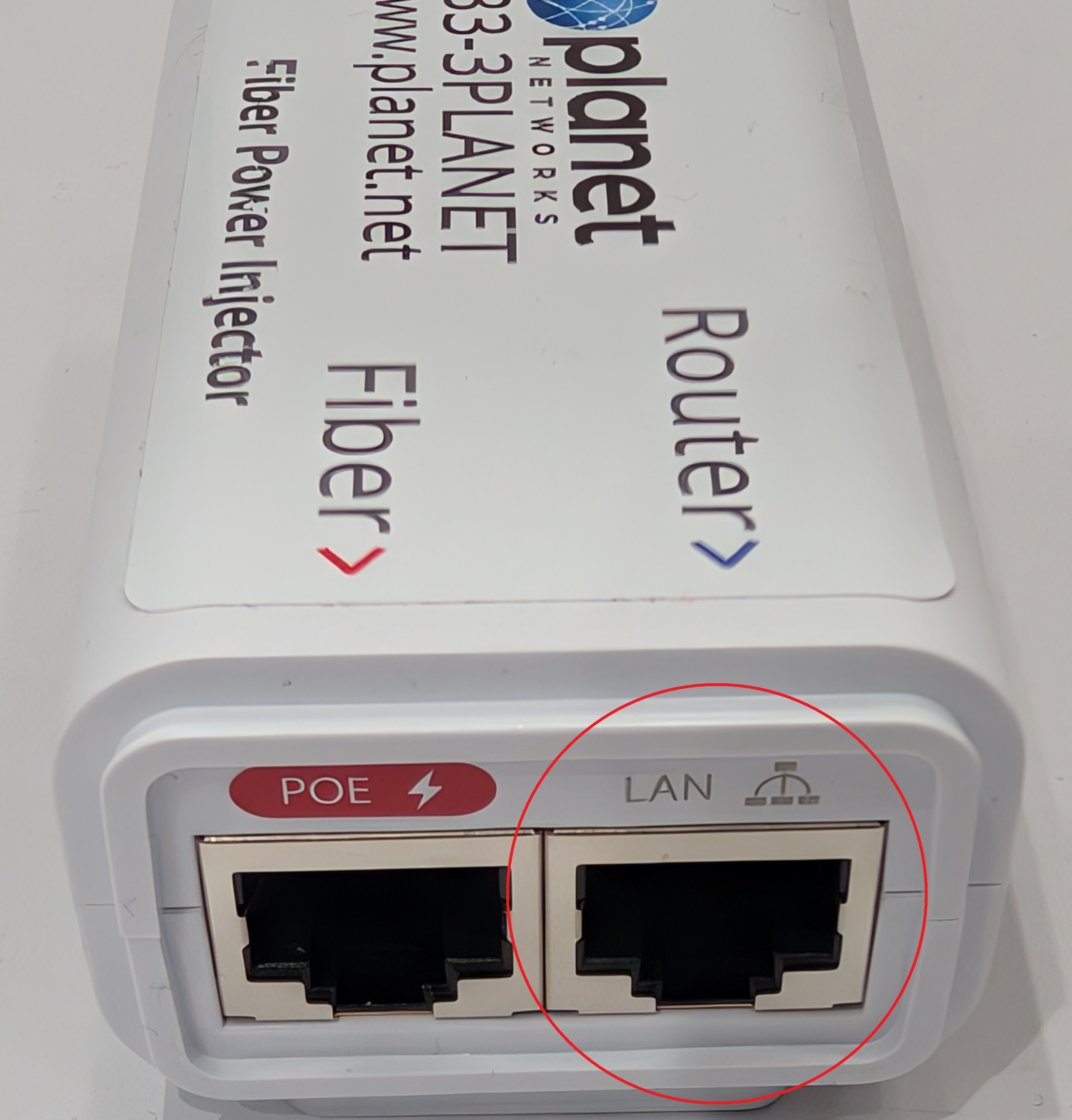
The port labeled POE connects to the wire running to the equipment outside your home. The port labeled LAN connects to the WAN or Internet port on your router.
Correct Cable Path
Check both ends of each Ethernet cable and make sure every connector is firmly seated.
Router Reference
Find your router below and make sure the cable from the power injector is connected to the highlighted WAN or Internet port.
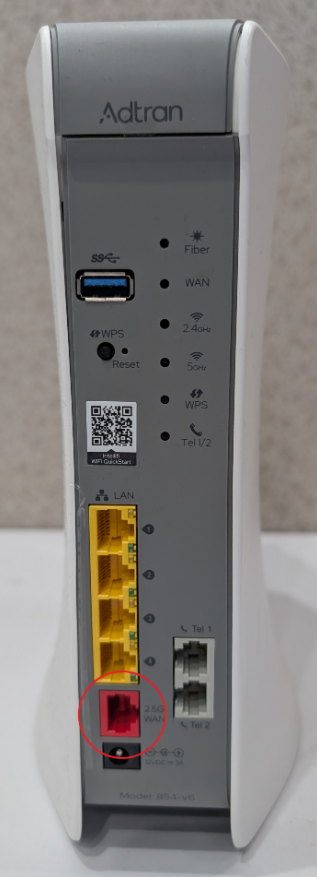 WAN / INTERNET
Connect the injector cable to the highlighted WAN or Internet port.
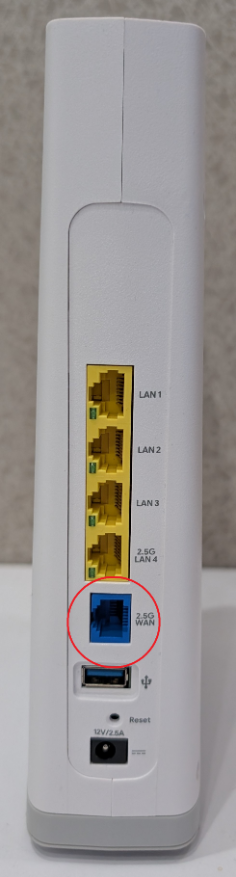 WAN / INTERNET
Connect the injector cable to the highlighted WAN or Internet port.
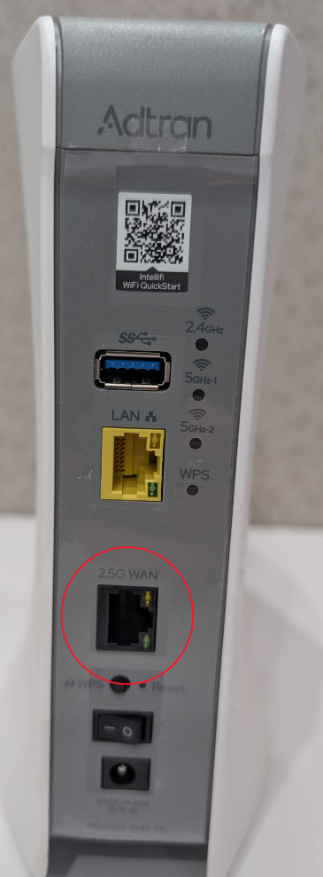 WAN / INTERNET
Connect the injector cable to the highlighted WAN or Internet port.
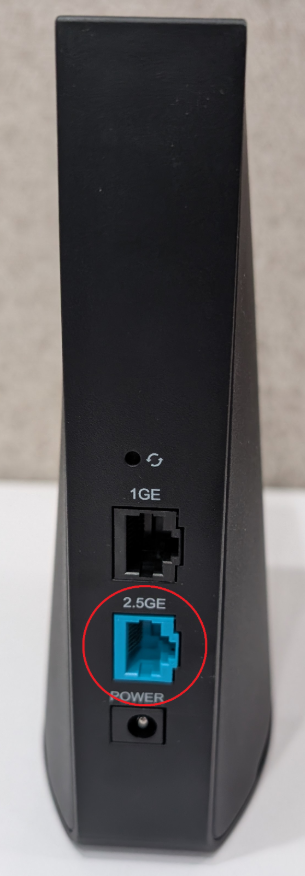 WAN / INTERNET
Connect the injector cable to the highlighted WAN or Internet port.
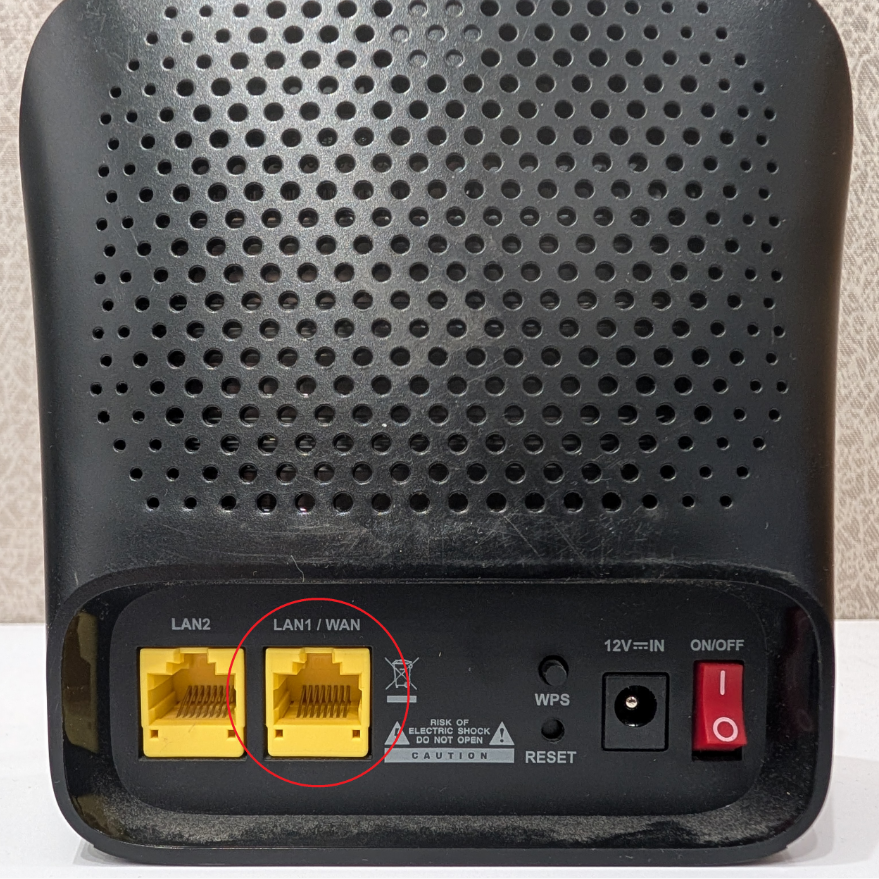 WAN / INTERNET
Connect the injector cable to the highlighted WAN or Internet port.
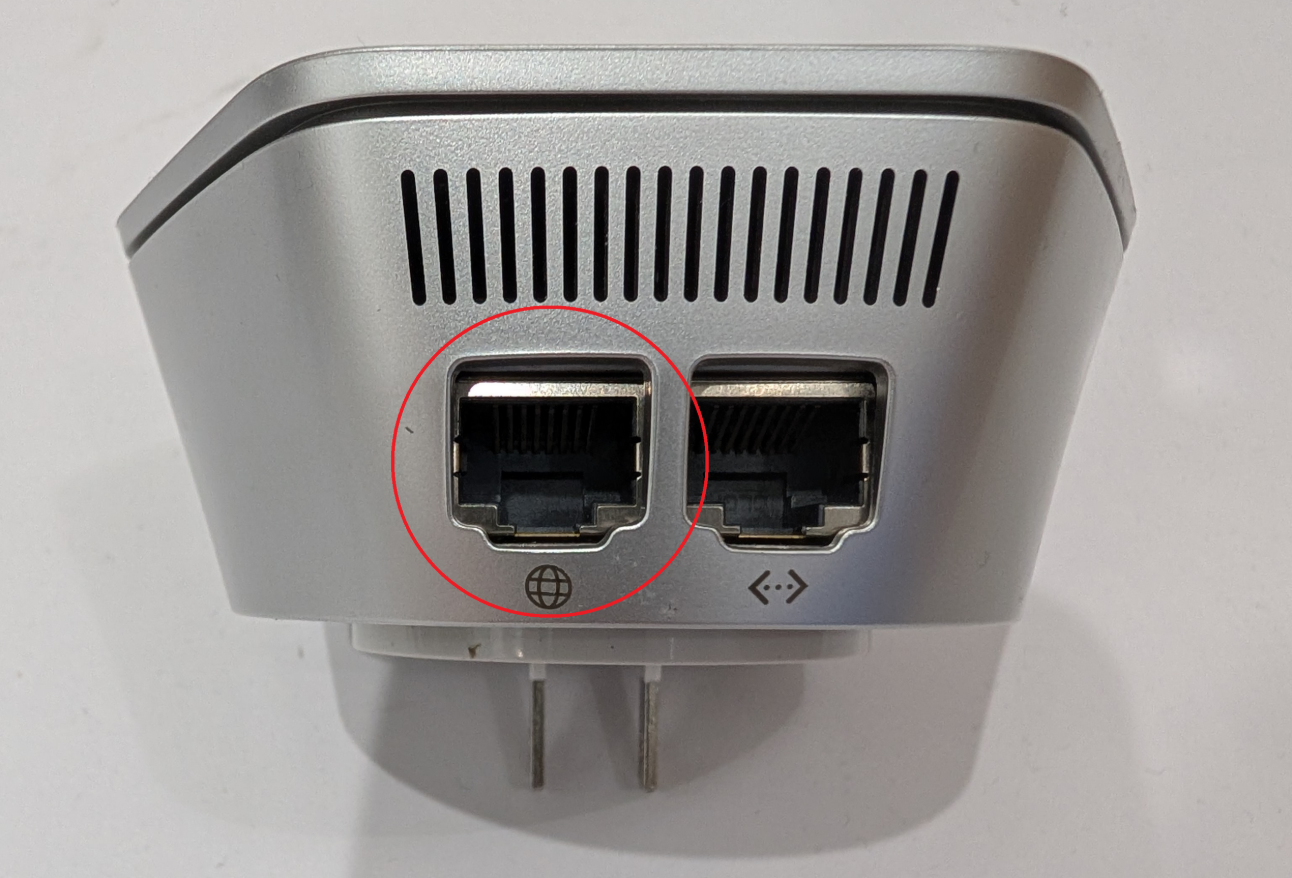 WAN / INTERNET
Connect the injector cable to the highlighted WAN or Internet port.
What Are You Seeing?
If the reboot and cable check did not restore your connection, use what you are seeing to narrow down the next step.
Confirm the router and power injector are plugged into working outlets and that their power cords are fully seated.
Make sure the injector's LAN port connects to the router's WAN or Internet port, then power-cycle the router.
Turn Wi-Fi off and back on for the affected device or restart it before changing the network equipment.
Frequent reboots should not be necessary. The support team can check the connection and determine the right next step.
Still Not Connected?
Tell the support team what you already checked. That helps them move past the obvious steps and get to the cause faster.